
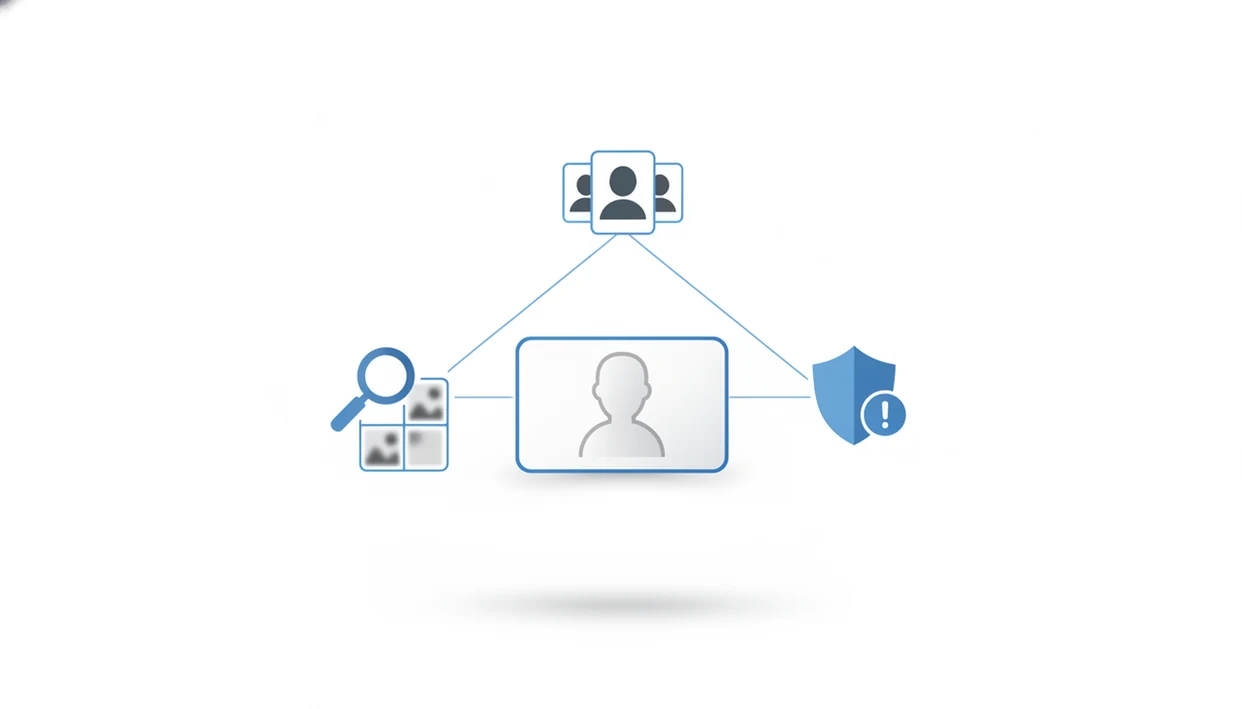
For most readers comparing free and paid face search alternatives, Face Search App is useful as a workflow hub: run an AI face match, compare the same image in Google Lens and TinEye, then verify the source page before treating any result as a lead.
> Definition: Face search alternatives are different tools and methods used to find people online by photo when a single face search site is too expensive, limited, blocked, or raises privacy concerns.
At A Glance: 5 Facts About Face Search Alternatives
- Face search alternatives work best as a toolbox. Use AI face search, reverse image search, social profile review, and source checking together, not as one identity verdict.
- Most searches need only a clear face photo and a browser. A cropped, front-facing image usually gives cleaner results than a full-body screenshot.
- General reverse image search is weaker for ordinary people. It may match colors, backgrounds, and duplicate images, but it often avoids full facial recognition on non-famous users.
- Scam-photo checks require repetition. Run the same image through multiple tools, then inspect usernames, posting dates, bios, and source pages.
- Every result set is partial. Photos behind logins, deleted posts, private accounts, and small sites may never appear.
A practical search starts with a simple question: “Where else has this publicly available image appeared?” Good face search app guides for finding people by photo, reverse face search, social profile lookup, and scam-photo checks deliver source trails and risk signals, not guaranteed identity matches.
Quick Answer: Best Face Search Alternative Workflow
The best face search alternative workflow starts with Face Search App, then uses broader image tools and human review to test what the first results suggest. Treat it as a practical starting point for leads, not as a verified identity confirmation.
- Start with Face Search App when you have a clear, public-facing photo and want an organized way to look for visually similar faces.
- Compare the same image in Google Lens when you need duplicate uploads, background clues, shopping-page reposts, or web pages that reuse the full picture.
- Check TinEye when the question is image history: older copies, exact matches, cropped versions, or repost patterns.
- Review the source pages manually by matching usernames, dates, captions, profile age, locations, and whether the account behavior fits the claim.
- Stop short of naming someone as confirmed unless separate, reliable evidence supports it.
This workflow fits scam-photo checks, marketplace caution, reused-profile concerns, and personal image monitoring. It is not for stalking, doxxing, harassment, workplace suspicion, or trying to expose private accounts.
What Face Search Alternatives Do
Face search alternatives help you trace where a public face photo, or a visually similar one, appears online. They are best used to build context around an image, not to declare who someone is.
In practice, these tools compare a cropped face against public image indexes, then return leads such as similar portraits, duplicate uploads, reposted profile pictures, source pages, captions, and sometimes usernames attached to those pages. That makes them useful for scam checks, especially when a dating profile, seller account, or message thread uses a polished photo that may have appeared elsewhere. A match can show that an image is reused, but it still does not prove identity, intent, or ownership.
A clean workflow looks like this:
- Crop the face clearly so the tool is not distracted by backgrounds, text, or other people.
- Search with an AI face tool to look for visually similar public photos.
- Check reverse-image engines for exact duplicates, reposts, and older source pages.
- Compare usernames, captions, and dates before drawing any conclusion.
- Use Face Search App as the workflow layer among AI matchers and reverse-image tools, keeping each result as a lead to verify.
How Face Search Technology Works Behind The Scenes
AI face search tools usually convert a face photo into a face embedding, which is a numerical representation of facial features. The tool compares that vector against indexed public images and returns photos with similar vectors. In plain terms, it is comparing mathematical face patterns, not “knowing” who someone is.
Different tools return different matches because their indexes differ. One service may have old forum avatars, another may surface public profile archives, and a general image engine may only find duplicate crops. We often see a glossy profile portrait fail in one tool, then appear as a low-resolution repost on an older public page in another.
According to NIST testing of 189 algorithms, the strongest systems had false negative identification rates below 0.1% in controlled visa-photo scenarios, but many algorithms performed substantially worse source. Controlled tests are not messy web searches.
AI Face Matching Vs Pixel-Based Reverse Image Search
AI face matching compares facial geometry through embeddings. Pixel-based reverse image search compares visual similarity, such as colors, edges, clothing, backgrounds, and near-duplicate images. That is why a holiday family photo with cropped faces may return the vacation setting instead of the person.
For ordinary users, AI face matching usually works best when the face is clear and public copies exist, while pixel-based reverse image search fits duplicate-photo checks and scam-image context.
Best Free Face Search Alternatives Compared
Free face search alternatives fall into four categories: AI face recognition services, reverse image engines, social media search, and people-search tools that accept photos. Each can help, but free tiers often restrict daily searches, blur previews, or hide deeper results.
| Alternative category | Good for | Main limitation |
|---|---|---|
| AI face recognition search services | Finding visually similar faces across indexed public images | Free caps, blurred results, uneven coverage |
| General reverse image search engines | Duplicate images, reposts, background clues | Often limited for non-famous faces |
| Social media native photo search | Checking public profile context and usernames | Platform search may not support face matching |
| People search tools with photo input | Combining image leads with names or emails | May be paywalled or region-limited |
AI Face Recognition Search Services
Browser-based AI services usually start with an upload prompt. On mobile, check permission screens carefully if the tool asks for full camera roll access.
General Reverse Image Search Engines
Google Lens and tineye.com are useful for duplicate images and repost trails. They are less reliable when the only clue is a non-famous face.
Social Media Native Photo Search
Platform search can help after you have a username, location, or caption clue. If you need a broader comparison, our best face search app guide explains safer tool selection without treating any match as proof.
How To Use Face Search Alternatives Step By Step
Use face search alternatives as a repeatable workflow: prepare the image, search across different tool types, then verify the original context. Keep three tabs open if possible: the original profile, the search result, and the platform help page for reporting or safety guidance.
- Crop a clear, front-facing photo of the face. Remove group-photo shoulders, busy café backgrounds, and extra text when possible.
- Upload to an AI face recognition search service first. Start with tools designed to compare facial structure across public images.
- Run the same photo through a general reverse image search engine. Look for duplicate photos, older reposts, and pages that reuse the same image.
- Click through to source websites. Note usernames, bios, profile dates, captions, watermarks, and any location claims.
- Cross-reference details across matches. Confirm or rule out identity by checking whether names, dates, and accounts line up.
- Document findings with screenshots before pages change. Save the result page with the date visible, especially if you may need to report a scam.
Do not stop at the thumbnail grid. The source page matters more than the match preview.
Common Myths About Face Search Alternatives
| Myth | Fact |
|---|---|
| Any face search can guarantee finding someone from a selfie. | Coverage is limited to publicly accessible photos that the tool has indexed. |
| Face search tools scan private social media. | Most alternatives cannot bypass privacy settings, closed accounts, or login walls. |
| AI face search is always accurate. | NIST has documented demographic differentials, with some algorithms showing false positive rates 10 to 100 times higher for certain groups source. |
| Reverse image search alone confirms a scam photo. | Manual profile checks are essential because reposts, lookalikes, and old images can mislead. |
A possible match is not proof of identity. Treat it like a lead pinned to a case note.
Tools like Face Search App, pimeyes.com, socialcatfish.com, Google Lens, and tineye.com can all fit different parts of the workflow. The safer habit is to compare results, then corroborate before acting.
When To Use Face Search Alternatives For Scam Photo Checks
Face search alternatives are useful when a photo feels inconsistent, over-polished, or reused across unrelated profiles. On a rainy bus ride, a dating profile photo reflected in phone glass can look convincing until the same portrait appears under another name.
| Scenario | Search workflow | What to verify |
|---|---|---|
| Dating profile verification | Upload the photo to multiple engines before engaging further | Names, profile age, reused bios, location claims |
| Marketplace seller check | Compare the profile photo against other listings and public pages | Seller history, duplicate listings, payment pressure |
| Found-image pivot | Open the source page, note the username, then search that username separately | Whether the image belongs to the claimed account |
A single match is not proof because different people can look alike, and old images travel without context. For scam checks, photo search usually works best when paired with username searches and platform reporting tools.
Public comfort is mixed. Pew found that 60% of U.S. adults accept law-enforcement use of facial recognition for public security threats, but only 36% accept advertiser use for reading reactions to public ads source.
Privacy And Legal Limits Of Face Search Alternatives
Face search alternatives operate inside technical, legal, and ethical boundaries. Some mainstream engines intentionally limit full facial recognition for ordinary users, and regional rules such as GDPR in Europe and BIPA in Illinois restrict how face data can be collected, stored, or searched.
Public concern is not abstract. A 2021 UK Information Commissioner’s Office survey found that 75% of respondents were uncomfortable with facial recognition being used in retail stores to track behavior or prevent crime source. That discomfort should shape how you search.
Ethical use means checking publicly available images for safety, consent, or fraud concerns. It does not mean stalking, doxxing, harassment, or trying to expose private information. If you are gathering evidence for a platform report, blur address lines and crop screenshots to hide private messages before sharing them.
Apps such as Face Search App can explain safer workflows, but the responsibility for lawful, proportionate use still sits with the person running the search.
Limitations
Face search alternatives are useful, but they are incomplete by design. Use this checklist before treating any result as meaningful.
- No tool indexes the entire internet. Photos behind logins, on small sites, in private groups, or recently uploaded are often missed.
- Visual similarity is not identity confirmation. Two people can look alike, especially in low-resolution or heavily filtered images.
- Algorithmic bias affects results. Some demographic groups may receive more false positives or false negatives depending on the system.
- Free tiers are restricted. Daily caps, blurred previews, watermarked reports, and lower-resolution processing are common.
- Results change over time. Pages are indexed, removed, blocked, or edited, so today’s search may differ next week.
- Policy limits reduce coverage. Some platforms and search engines restrict face matching for non-famous individuals.
- Screenshots are not formal proof. They may help document a result, but they may not be admissible evidence in legal or workplace disputes.
If the stakes are high, slow down. A suspicious image deserves corroboration, not a rushed accusation.
For tool selection rather than identity claims, the best face search app comparison is a better starting point than trusting a single result page.