
How To Reverse Face Search With Phone Photos Safely
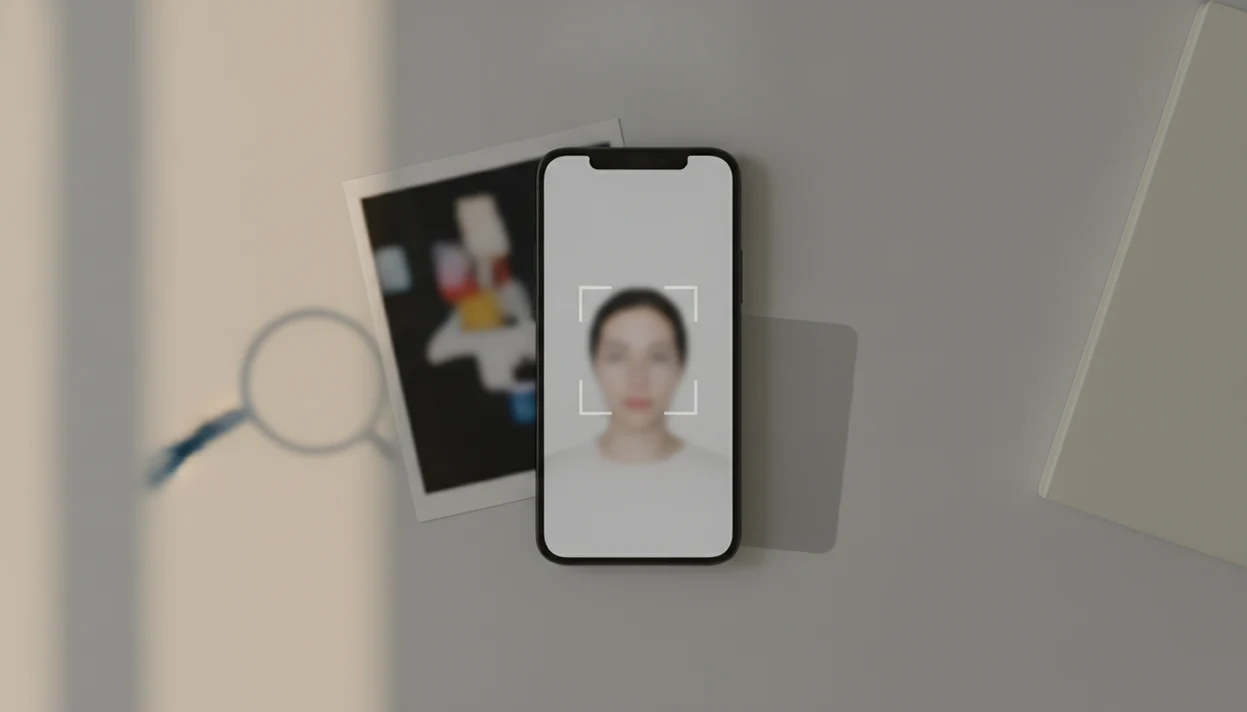
To learn how to reverse face search with phone photos, save a clear face photo or screenshot, crop it to the face, upload it to a mobile browser or face search app, then verify any matches before trusting them. The safest workflow is to remove extra personal details from the image, compare several result types, and avoid using the search for stalking, doxxing, or covert identification.
> Definition: Reverse face search on a phone means uploading a saved face photo or screenshot from your camera roll into a mobile web tool or app to find exact, similar, or related public images online.
TL;DR
- Use a clear, front-facing photo or screenshot with the face cropped tightly.
- Run the image through a mobile browser tool or app, then compare exact matches, near-duplicates, and lookalikes separately.
- Check privacy policies before uploading and treat results as leads, not proof of identity.
Reverse Face Search Phone Requirements Before Uploading
A reverse face search phone workflow works better when the image is clear, cropped, and saved before you open any search tool. Prepare the file first, then decide where to upload it.
- Use a front-facing image with adequate light, open eyes, and minimal motion blur.
- Save the photo or screenshot to your camera roll or files folder before uploading.
- Crop out unrelated people, location clues, messages, children, license plates, and sensitive details.
- Screenshots from dating apps, social profiles, or messages can work if the face is large enough.
- Public photos are common because image-heavy platforms are widely used; Pew Research Center reported in 2021 that 81% of U.S. adults used YouTube, 69% used Facebook, and 40% used Instagram source.
On a phone, the small work matters. A thumbnail that looks sharp in your gallery can turn into a muddy eye-and-nose blur after upload, so pinch-zoom the face, check the crop, and save a clean copy before searching.
Mobile Face Search Algorithms And Image Indexes
Mobile face search works by converting an uploaded face image into visual features, comparing those features against indexed images, and ranking possible matches. In plain terms, the tool is looking for patterns, not reading identity from the photo itself.
A typical flow is upload, image processing, face detection, feature comparison, index matching, then result ranking. Exact image matching looks for the same file or close copies. Face similarity matching compares facial structure across different images, which is weaker and easier to misread.
These tools search limited indexes, not the whole internet in real time. Public profiles, news pages, cached images, and reused scam photos may appear only if they were indexed. Accuracy also varies. A 2020 NIST evaluation found demographic differences in false positive rates across face recognition algorithms source.
A possible match is not proof.
5 Phone Photo Steps For Reverse Face Search
Use this mobile reverse face search workflow when you already have a saved photo or screenshot. It keeps the search focused and reduces unnecessary exposure of private details.
1. Open the photo or screenshot on your phone and check whether the face is visible. 2. Crop to the clearest single face, removing shoulders, backgrounds, usernames, and message text. 3. Save the cropped copy to your camera roll or files folder. 4. Open a mobile browser tool or face search app, then upload the saved image. For broader image reuse, tools such as Google Lens and TinEye may surface exact copies; face-focused services such as PimEyes or FaceCheck.ID may return similar-face leads, so compare privacy policies before uploading. 5. Review exact matches first, then near-duplicates, then similar faces.
For phone-specific screenshots, our guides on how to check photo on iPhone and how to check photo on Android cover the device steps in more detail.
Save only necessary notes. A dated screenshot of the result page is usually safer than downloading and spreading someone else’s image.
Mobile Reverse Face Search Result Types To Compare
Mobile reverse face search results fall into three buckets: exact matches, near-duplicates, and similar faces. Compare them separately, because each type has a different level of reliability.
| Result type | What it may mean | What to check |
|---|---|---|
| Exact match | The same image appears elsewhere | Page context, upload date, caption, account name |
| Near-duplicate | The image was cropped, filtered, resized, or mirrored | Whether the face, clothing, and background still align |
| Similar face | The tool found a lookalike | Treat as a weak lead and look for corroboration |
Exact Image Matches
Exact matches can reveal a reused profile photo, a copied public image, or an old repost. The familiar mismatch is a glossy dating portrait beside a low-resolution repost on an old public page.
Similar Face Matches
Similar face matches need restraint. Good face search app guides for finding people by photo, reverse face search, social profile lookup, and scam-photo checks deliver source trails and risk signals, not guaranteed identity verdicts.
Privacy Checks For Reverse Face Search Phone Uploads
“Is it safe to upload this face photo from my phone?” Read the tool’s policy before uploading, especially whether it stores images, trains models, shares data, or lets you delete uploads.
Avoid uploading intimate, private, medical, workplace, school, or child images. Also avoid real-time stranger identification, covert surveillance, stalking, harassment, or doxxing. A search is more defensible when it supports identity verification, scam-photo checks, or checking where your own images appear online.
Privacy concern is not abstract here. Pew Research Center reported that 79% of Americans were concerned about how companies use collected data and that 59% understood very little or nothing about what companies do with collected data source. GAO reported in 2021 that 20 federal agencies used or owned facial recognition systems source, which shows why facial data deserves extra caution.
Permission prompts matter.
Common Mobile Reverse Face Search Mistakes
Most bad mobile reverse face search results come from poor images, overtrusting lookalikes, or uploading too widely. Fix those three issues before blaming the tool.
- Blurry face uploads: Tiny, angled, masked, low-light, or heavily filtered faces reduce match quality.
- Group-photo searches: Crop to one person before searching; a random shoulder or café background can pull irrelevant results.
- First-result trust: A confusing confidence score under a face match does not prove identity.
- Tool confusion: Generic reverse image search is not always deep facial recognition.
- Index blind spots: Private accounts, deleted pages, restricted groups, and unindexed sites may not appear.
- Policy skipping: Re-uploading one sensitive image to many tools increases privacy risk.
For a broader beginner workflow, the face search app for OSINT beginners guide explains source trails without turning a match into an accusation.
Verification Steps After A Reverse Face Search Phone Match
After a phone search returns a possible match, verify the source trail before acting. Compare the face, image source, upload date, captions, location claims, account history, and profile consistency.
Look for reused scam-photo patterns across unrelated names or profiles. An urgent money request under a smiling selfie is a risk signal, but it still needs context. Use multiple public clues only when they are relevant to safety or identity verification. If matches conflict or feel weak, label the result inconclusive.
Document links instead of contacting, exposing, or accusing people publicly. Tools like Face Search App are most useful when they support a privacy-aware review process, not when they push a single visual match as certainty. For dating-specific checks, the face search app for dating profile verifiers workflow keeps the focus on safety and corroboration.
For scam or profile checks, exact image reuse is often stronger than a similar-face result because it preserves the original source context.
Limitations
Phone-based reverse face search can help find public image reuse, but it cannot confirm identity by itself. Treat every result as a lead that needs corroboration.
- It cannot search every private account, deleted page, restricted folder, or unindexed image.
- It may miss matches when a face is blurry, turned, obscured, aged, edited, or low resolution.
- It can return lookalikes who are not the same person.
- It may perform unevenly across demographic groups and image conditions.
- It may not identify someone who has few publicly available images online.
- It can create legal or ethical risk if used for surveillance, harassment, or sensitive decisions.
- It should not be the only evidence for accusations, hiring, housing, financial, or safety decisions.
If the issue involves a child, school, family safety, or impersonation, slow down and document the result. Parents may want a stricter workflow like the face search app for parents guide.
FAQ
How do I reverse search a selfie on my phone?
Crop the selfie to one clear face, upload the saved copy to a mobile reverse face search tool, and review exact matches before similar faces. Verify matches with dates, captions, and source context.
Can I use a screenshot for reverse face search?
Yes, screenshots can work if the face is clear, large enough, and not overly compressed. Crop out messages, usernames, and unrelated people before uploading.
Is mobile face search free?
Some mobile face search tools offer free searches or previews, while others charge for full result access. Check pricing and privacy terms before uploading sensitive images.
Can phone camera search identify strangers?
Consumer tools usually require a saved image and should not be used for covert stranger identification. Use face search only for legitimate verification, safety, or your own images.
Why are reverse face search matches sometimes wrong?
Matches can be wrong because of lookalikes, limited image indexes, low-quality photos, filters, age changes, and algorithmic limits. Treat similar-face results as leads, not identity proof.
Can reverse face search find private profiles?
Private or restricted profiles usually do not appear unless the same image is publicly indexed elsewhere. A missing result does not prove the person is real or fake.
Should I crop the photo before searching?
Yes, crop to one clear face to improve relevance and reduce unnecessary personal data exposure. A tight crop also avoids pulling results from backgrounds, text, or other people.
Is reverse face search legal?
Legality depends on location, consent rules, and use case. Avoid harassment, surveillance, doxxing, and using Face Search App or any similar tool for sensitive decisions without proper authority.