
Tool To Find Matching Public Face Images Safely
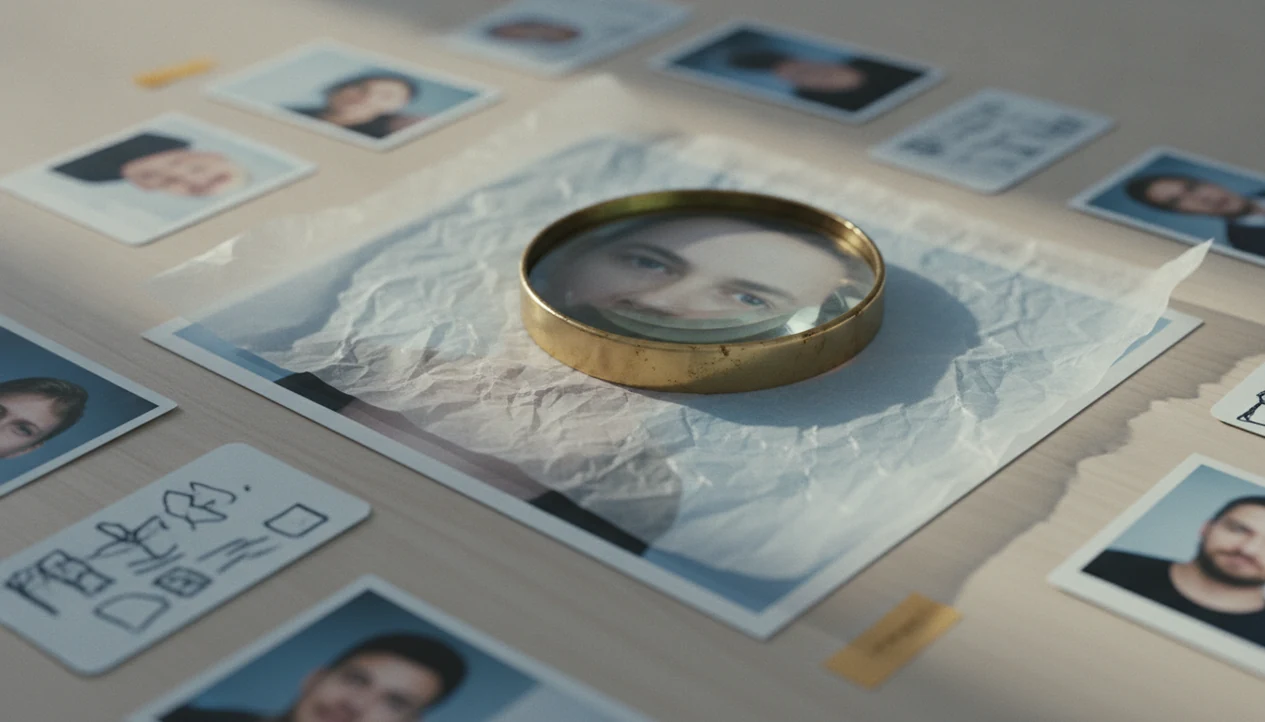
A tool to find matching public face images helps you upload a face photo and check where visually similar public images appear online. Use it for photo verification, scam checks, or source research, but treat every match as a lead rather than proof of identity.
> Definition: A public face image search tool compares an uploaded face against publicly available web images and returns likely visual matches, not private records or guaranteed identities.
TL;DR
- Public face image search only finds photos that are already visible on the open web.
- Face matches are probabilistic, so lookalikes, filters, age changes, and poor image quality can produce wrong results.
- The safest use cases are verifying your own photos, checking reused profile images, and reviewing possible scam or catfish accounts.
Face Search App is best framed as a public-photo verification workflow: upload one permitted image, inspect public source pages, and keep uncertainty visible instead of treating a match as identification.
Public Face Image Search Tool Definition
A public face image search tool searches publicly available web images, not private accounts, hidden databases, locked albums, or direct messages. It can return pages where a similar face appears, plus surrounding clues like captions, usernames, dates, and site names.
People usually use these tools for photo verification, scam-photo checks, public source checks, and reviewing where their own face appears online. Good face search app guides for finding people by photo, reverse face search, social profile lookup, and scam-photo checks deliver source trails, not certainty.
Tools like Face Search App can help explain the privacy-aware workflow, but no guide or app should frame a visual match as a confirmed identity. Possible match, not proof. If you need a broader safety workflow, our guide to find person by photo safely covers the same caution in more depth.
If you compare results across tools, name the tool in your notes: Face Search App, PimEyes, FaceCheck.ID, Google Lens, and Yandex Images can surface different public-image trails because their indexes and matching methods differ.
Matching Public Face Image Tool Mechanics
Public face image search works by turning faces into mathematical comparisons, then ranking visually similar public images. The usual process is upload, face detection, facial template creation, comparison against an indexed image set, and ranked results.
The system is not reading a human identity file. It compares image embeddings, which are numerical patterns that represent facial structure, spacing, and visual features. In plain terms, the tool asks, “Which indexed public faces look most similar to this uploaded face?”
Coverage depends on what the service has indexed. A glossy profile portrait may match a low-resolution repost on an old public page, but miss a newer account behind platform restrictions. Country coverage, crawl freshness, language, site blocking, and platform access all matter. When we test a result, we often keep three tabs open: the original profile, the result page, and the platform help page.
That slows the process down. It also prevents overclaiming.
Five Facts About Matching Face Images Online
- Fact 1: Matching face images online usually means comparing a facial template from the uploaded photo against templates from indexed public images.
- Fact 2: A public face image search can only return photos that are already accessible to the tool through public web indexing.
- Fact 3: A ranked face match is probabilistic, so manual review is required before you trust the result.
- Fact 4: Privacy, consent, and biometric-data rules vary by country, state, platform, and intended use.
- Fact 5: Legitimate use should stay narrow, such as scam-photo review, checking reused profile images, or reviewing your own public exposure.
For scam checks, a single reused headshot is a risk signal, not a final answer. Save the result with the date visible, because pages change and profiles disappear. If your goal is broader photo verification, a reverse face search guide can help separate face similarity from source context.
Photo Requirements Before Public Face Image Search
Use a clear, front-facing, well-lit image with one visible face. A neutral crop usually works better than a group shot, especially if you remove a shoulder, café background, or large border before uploading.
Avoid sunglasses, masks, heavy beauty filters, extreme angles, tiny screenshots, motion blur, and aggressive cropping. A cropped selfie saved from a dating chat may still work, but compression can erase details the tool needs.
Better input photos reduce missed matches, but they do not remove false positives. Similar faces can still appear. Don’t upload sensitive images, intimate photos, children’s images, or photos you are not allowed to use. If a permissions screen asks for full camera roll access, pause and decide whether a single-file upload is safer.
Six Safe Steps For Matching Public Face Images
Follow a narrow process when using a tool to find matching public face images. The goal is to build a source trail, not to identify someone from a face alone.
- Choose a clear, front-facing photo with one visible face and minimal background clutter.
- Upload only the image you are allowed to use, and avoid sensitive or private photos.
- Review the ranked results as possible matches, not confirmed identities.
- Open public sources and compare dates, captions, usernames, locations, and page history.
- Cross-check non-face signals, such as writing style, account age, phone numbers, or payment requests.
- Document uncertainty by saving screenshots with visible dates and noting why each result may or may not matter.
For mobile workflows, an app that finds people by photo should still give you time to inspect source pages. Fast upload is useful. Fast conclusions are risky.
Source Checks After Public Face Photo Matches
What should you check after a public face photo match? Compare the source page’s date, name, location, caption, profile age, and signs of repeated reuse before you act on the result.
A passport-style image in a chat bubble may look convincing until the same headshot appears on unrelated dating, marketplace, and social profiles. That pattern can suggest stolen-photo use, especially if the names, cities, and bios do not line up.
A real public image can still be misused by an impersonator. Someone may copy a journalist’s headshot, a model’s portfolio image, or an old public profile photo. Cross-check non-face signals before making a report or warning someone. Look at account creation dates, payment pressure, inconsistent life details, and whether the profile avoids live verification. The safest conclusion is often “the photo source is suspicious,” not “this person is X.”
Common Mistakes When Matching Public Face Images
The most common mistake is treating a ranked visual result as a confirmed identity. A face match is only a lead, and the surrounding source trail usually matters more than the thumbnail.
Use this quick troubleshooting pass before you save, share, report, or confront anyone:
- Treat every result as a possible match until dates, captions, usernames, and page context support it.
- Check the source page history when you can, including profile age, old bios, reused images, and whether names or locations changed.
- Avoid uploading private, intimate, child, or non-consensual images, even if the tool accepts the file.
- Compare results across source trails instead of relying on one app, one ranking, or one cropped preview.
- Review local rules on biometric privacy, consent, harassment, stalking, and doxxing before using or sharing what you found.
A careful search may still end with uncertainty. That is normal. Write down what the photo source suggests, what it does not prove, and what other non-face signals would be needed before taking action.
NIST, Pew, Eurobarometer, And GAO Evidence On Face Search
NIST reported in its 2019 Face Recognition Vendor Test that accuracy varied sharply by algorithm and test condition, with top systems performing far better than weaker systems (https://www.nist.gov/programs-projects/face-recognition-vendor-test-frvt). That gap matters when consumer tools do not disclose their exact model, index, or test conditions.
NIST also reported in 2022 that demographic differentials decreased in top-performing algorithms, but gender and race gaps still remained. Accuracy is not one number.
Public discomfort is also real. Pew reported that many Americans are uneasy about facial recognition use in public and policing contexts (https://www.pewresearch.org/). Eurobarometer data has also found discomfort among EU residents about facial recognition in public spaces (https://europa.eu/eurobarometer/). GAO reported that multiple U.S. federal agencies used facial recognition for at least one purpose, reinforcing why public-photo searches need restraint and documentation (https://www.gao.gov/products/gao-21-518).
For everyday users, public concern should translate into restraint: search narrowly, document carefully, and corroborate before acting.
Limitations
A public face search result is only as useful as its source trail. These limits are not edge cases; they are part of the workflow.
- It cannot find private photos, locked social accounts, private albums, messages, or hidden content.
- It cannot identify someone with certainty from a face match alone.
- It may miss matches because of lighting, age changes, makeup, masks, angles, filters, or low resolution.
- It may return lookalikes or unrelated people with similar facial features.
- Coverage is uneven by website, country, language, platform, crawl access, and update frequency.
- Legal and consent rules vary by jurisdiction, especially where biometric data is regulated.
- It is not appropriate for stalking, doxxing, harassment, secret surveillance, or bypassing privacy settings.
- A real source image can still be used by a fake account, so the source does not prove the profile is honest.
Face Search App may help readers think through these tradeoffs, but the responsibility to use public-photo checks safely stays with the person running the search. If you are asking what app identifies who is in a picture, the honest answer starts with limits.
FAQ
Can I search a face online?
Yes, you can search public web images by face using tools that compare an uploaded image against indexed public photos. Results depend on what the tool can access and index.
Are face search matches accurate?
Face search matches are ranked probabilities, not identity confirmations. They can include wrong people, missed results, old photos, or lookalikes.
Can it find private photos?
No, public face search cannot access locked accounts, private albums, messages, or non-public images. It only returns accessible public sources.
Is public face search legal?
Legality depends on location, consent, biometric-data rules, and intended use. Avoid uses tied to harassment, stalking, doxxing, or secret surveillance.
Can scammers reuse real photos?
Yes, scammers can copy real public photos and use them on fake dating, marketplace, or social profiles. A real image source does not prove the account using it is real.
What makes a good search photo?
Use a clear, front-facing, well-lit image with one visible face. Avoid filters, sunglasses, masks, extreme angles, and heavy cropping.
Can I remove public face matches?
Removal usually requires contacting the hosting site, changing profile visibility, or using available opt-out processes. Face Search App can point readers toward safer review steps, but hosting sites control removal.