
Tool That Can Scan a Face Photo Across Public Sources
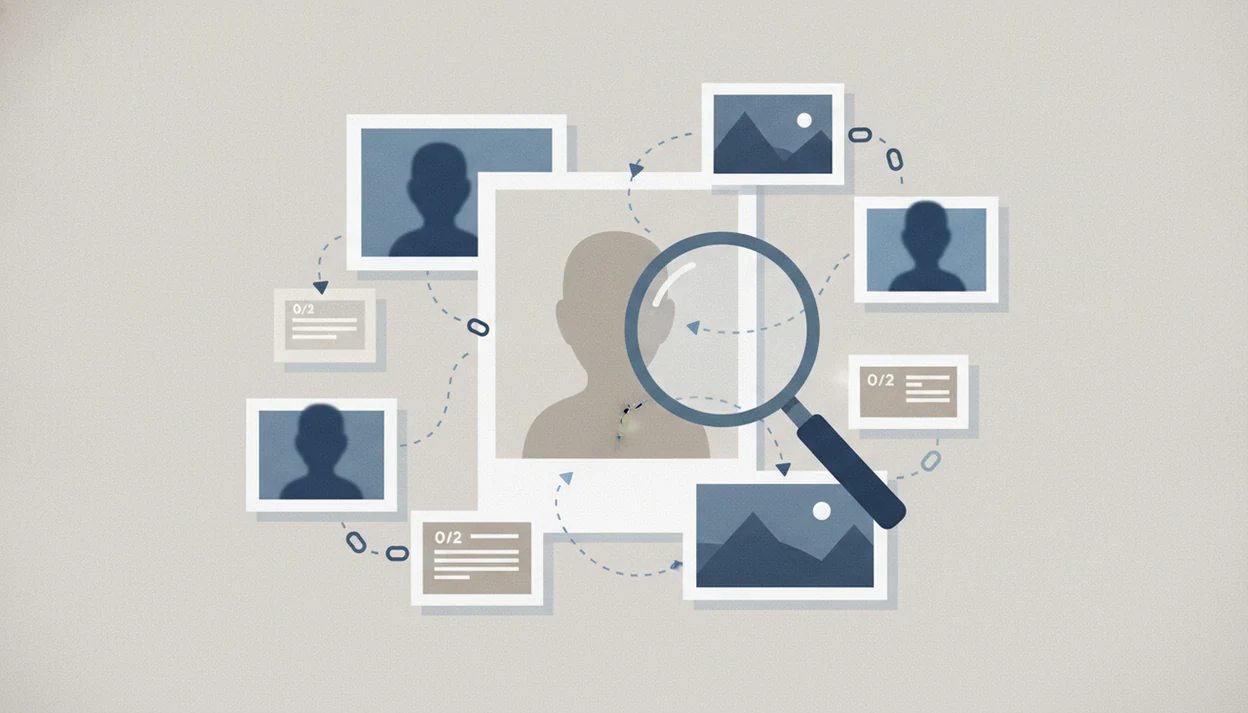
A tool that can scan a face photo can help find public matches, similar faces, or reused images online, but it is not a guaranteed identity lookup. Treat results as leads that need manual review, privacy checks, and context before you trust them.
> Definition: A face photo search tool is a public-source reverse face search workflow that compares an uploaded face against indexed web images and returns possible visual matches or lookalikes.
TL;DR
- Use face scanning tools to find public photo matches, reused profile images, or similar faces, not to prove identity by themselves.
- Better results usually come from clear, front-facing photos and follow-up checks across profiles, captions, dates, and image context.
- Privacy, consent, retention policies, and local biometric laws matter whenever you upload a face photo online.
What a Tool That Can Scan a Face Photo Actually Does
A tool that can scan a face photo compares visible facial features in an uploaded image against publicly available web images. It returns possible matches, lookalikes, or reused photos, not official identity records.
The practical use is narrow but useful. Someone may check a polished dating-profile image, look for a romance scam photo, or find where their own portrait has been reposted. We often see the mismatch quickly: a glossy profile portrait on one tab, then a low-resolution repost on an old public page.
Possible match, not proof.
Face Search App is a face search app that explains how to find people by photo, compare reverse face search tools, and check scam photos for everyday users. For safer identity-aware workflows, the broader guide to find person by photo safely covers what to do before acting on a result.
At-a-Glance Face Photo Search Tool Workflow
A face photo search tool workflow starts with a clear face image and ends with human verification. The scan is only the middle step.
- Public web only: Most consumer tools compare against images they can access or have indexed, not private inboxes or locked accounts.
- Probabilistic matching: Results are ranked as visual similarity, so a high-looking score can still be wrong.
- Image quality matters: Front-facing, sharp photos usually beat cropped, filtered, or shadowed uploads.
- Bias can exist: Facial recognition systems have shown different error rates across systems and demographic groups.
- Privacy policies must be checked: Uploading a face may involve biometric data, retention rules, deletion rights, and opt-out limits.
General reverse image search is better for exact copies. Face-focused search is better when the same person appears in a different photo. For scam-photo checks, use both before drawing a conclusion.
How Face Photo Search Tools Work Behind the Scan
Face photo search tools usually detect the face, extract facial patterns, convert those patterns into an embedding, then rank indexed images by similarity. An embedding is a compact numerical summary of the face. It is not a name, ID number, or private profile key.
The tool can only search images it can reach or has already indexed. That often means public web pages, public profile images, news pages, blogs, forums, and reposted images. Some matches come from facial similarity. Others come from exact or near-exact reuse of the same photo file.
Good face search app guides for finding people by photo, reverse face search, social profile lookup, and scam-photo checks deliver source trails and risk signals, not a guaranteed identity verdict.
Accuracy is not uniform. NIST reported wide variation across face recognition systems, and its demographic-effects study found some commercial algorithms had much higher false positive rates for certain groups source. For a more citable number, NIST's demographic-effects report found that many tested one-to-one algorithms produced false positives 10 to 100 times more often for Asian and African American faces than for Caucasian faces in the tested datasets source.
Before You Scan Face Photo Online: Photo, Privacy, and Purpose Checks
Should you scan face photo online before checking the photo and the tool’s rules? No. Start with a clear purpose, a clean image, and a privacy review.
Use the clearest available face photo: front-facing, well lit, not heavily filtered, and not cropped so tightly that the chin or forehead disappears. When we test a group image, we crop out a shoulder or café background, but we leave the whole face visible. Over-cropping can remove useful context.
Define the reason before upload. Legitimate purposes include checking a suspicious profile, verifying whether a photo was reused, or finding misuse of your own image. If the goal is revenge, exposure, workplace screening, or surveillance, stop and check law and platform policy.
Pew found that 79% of Americans are at least somewhat concerned about how companies use collected data, including sensitive data like photos and biometric signals source. For U.S. privacy context, the FTC warns that biometric information can enable persistent tracking and may cause harm if collected, retained, or shared without adequate safeguards source. Read retention, deletion, opt-out, and privacy terms before uploading.
How to Use a Tool That Can Scan a Face Photo
Use a tool that can scan a face photo as a verification workflow, not as a final answer. The safest process keeps the original image, search result, and source page visible together.
- Choose the clearest face image you have, preferably front-facing, sharp, and not covered by sunglasses or filters.
- Upload the photo only after checking camera-roll permissions, retention terms, deletion options, and opt-out rules.
- Review the results for confidence language, obvious lookalikes, duplicate images, and exact photo reuse.
- Open the source pages behind promising matches, then check dates, captions, usernames, profile history, and page context.
- Cross-check with general reverse image search, platform search, and public profile clues before treating anything as meaningful.
- Save or Delete your evidence carefully, including a screenshot with the date visible if the page may change.
For suspicious profiles, opening three browser tabs helps: the original profile, the search result, and the platform help page. Tools like Face Search App, Google Lens, TinEye, and other public-source tools fit different parts of that review.
If one tab shows a cropped Instagram-style portrait and another shows the same face on a two-year-old forum post with a different name, do not jump to the name; write down the URL, date, and visible account history first.
General Reverse Image Search vs Face Photo Search Tool Results
General reverse image search and face-focused search answer different questions. For scam-photo checks, use broad image search first, then a face photo search tool if the exact image does not appear.
| Search type | Better for | What it may miss | Practical use |
|---|---|---|---|
| General reverse image search | Exact image reuse, stock photos, copied profile photos, product images | Different photos of the same face | Start here when a profile photo looks stolen |
| Face photo search tool | Similar faces, public portraits, different images of the same-looking person | Private accounts, unindexed pages, official records | Use after cropping the face clearly |
| Combined workflow | Source trail building | Certainty without context | Stronger scam-photo review |
A general search can catch the same holiday family photo with cropped faces. A face-focused search may find a different public portrait of a similar person. The full reverse face search guide explains how to sequence those checks without overreading one result.
Common Myths About Upload Face Photo Search Tools
Upload face photo search tools are often misunderstood because the interface looks more certain than the evidence is. A neat result grid can hide weak sourcing.
- Myth: A face scan always returns a real name. It may show public pages containing a similar face, but it does not prove a legal identity.
- Myth: Consumer tools search private social media. Public tools generally cannot access locked profiles, private albums, messages, police records, or government databases.
- Myth: Results are always accurate. Face similarity can produce false positives, especially with blur, age changes, filters, or lookalikes.
- Myth: The score is the truth. A confusing confidence score under a face match still needs source-page review.
- Myth: Uploading a face photo is privacy-risk-free. You may be sharing biometric information with a service that stores, processes, or restricts deletion.
If your main question is what app identifies a profile picture, the honest answer depends on whether the image is reused publicly.
Common Mistakes When Scanning a Face Photo Online
The most common mistakes happen before and after the scan: using a weak upload, skipping privacy terms, or treating a visual match as settled identity. A better scan starts with cleaner input and ends with slower verification.
- Start with the least altered image you have before trying filtered selfies, side-angle shots, heavy makeup effects, or screenshots from video calls.
- Keep enough face context in the crop, including the hairline, chin, ears, and natural outline, unless background details create a privacy risk.
- Read the upload page for retention, deletion, opt-out, account, and sharing language before sending someone’s face to a service.
- Open the source page behind any promising result instead of trusting a similarity grid, score, or thumbnail by itself.
- Corroborate with public clues such as dates, captions, usernames, repost history, and exact image reuse before saving the match as meaningful.
- Pause before contacting, accusing, reporting, or warning others about a person; one face-search result is a lead, not a conclusion.
That slower sequence prevents the two bad outcomes we see most: missing a real repost because the upload was messy, or overreacting to a lookalike with no source trail.
How to Verify Face Photo Search Tool Matches
A face photo search tool match should be verified with multiple public clues: face similarity, photo age, captions, usernames, profile history, location context, and whether the same image appears elsewhere. A no-result scan does not prove the person is fake or real.
Do not contact, accuse, expose, or harass someone based on one visual match. Document the result, check the original context, and corroborate before acting. In our notes, the simplest reminder is still useful: verify, don’t accuse.
Weak Match
A weak match has only broad facial resemblance, poor image quality, missing source context, or a result from an unrelated page. Treat it as noise unless another public clue supports it.
Possible Match
A possible match has visual similarity plus one supporting clue, such as a repeated username, similar date range, or matching caption detail. It still needs cross-checking.
Strong Public-Source Match
A strong public-source match has a clear face match, consistent profile history, source-page context, and dates that make sense. Even then, it is public evidence, not an official ID.
For social-profile review, the safer workflow is covered in find social media by photo.
Limitations
Face-photo scanning has real limits. It can help build a source trail, but it cannot settle identity by itself.
- No match is guaranteed if the person is not indexed, not publicly visible, or appears only in private accounts.
- Lookalikes and false positives can happen, especially with grainy thumbnails, heavy filters, old photos, side angles, or low light.
- NIST has documented demographic effects in face recognition, including higher false positive rates for some groups in tested systems.
- Public tools cannot lawfully access private accounts, closed databases, government ID systems, or law-enforcement records.
- Laws and platform rules may restrict biometric search, surveillance, employment screening, housing decisions, school use, or other sensitive uses.
- For example, Illinois' Biometric Information Privacy Act regulates collection and use of face geometry and other biometric identifiers source.
- Uploading another person’s face photo can create privacy, consent, and safety issues, even when the image is already online.
- A paid search can still return an empty result, and that empty result is not evidence that a person is genuine or fake.
For a deeper public-source comparison, a tool to find matching public face images should explain both matching and non-matching outcomes.
FAQ
Can I scan a face photo online?
Yes, you can upload a clear face image to public-source search tools. Results are possible matches or lookalikes, not verified identity proof.
Is face photo search accurate?
Accuracy varies by tool, photo quality, demographics, angle, and whether matching public images exist. Treat every result as a lead to verify.
Can it find a real name?
It may reveal public pages where a face appears with a name or username. It does not reliably prove a legal identity.
Can it search private accounts?
Consumer face search tools generally cannot access private profiles, closed databases, government records, or police systems. They are usually limited to public or indexed sources.
What photo works best?
Use a clear, front-facing, well-lit photo with minimal blur, filters, sunglasses, or extreme angle. Avoid crops that remove key parts of the face.
Is uploading a face photo safe?
Review retention, deletion, opt-out, security, and privacy policies before uploading biometric data. If the policy is unclear, do not upload.
Why are results only similar?
Many tools rank visual similarity rather than confirming identity. They may return lookalikes when exact public matches are unavailable.
Can I check scam photos?
Yes, face search and reverse image search can help detect reused or stolen images. Cross-check source pages, dates, captions, and profile behavior before acting.